










Documentum to SharePoint Online Migration
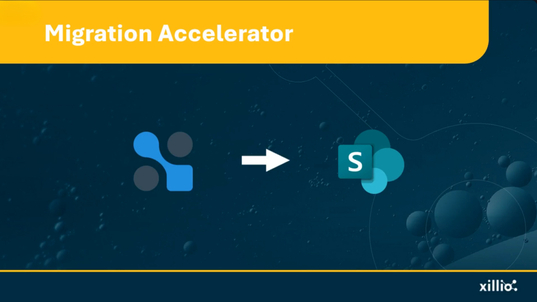
Migrate from OpenText Documentum to SharePoint Online and Microsoft 365, reducing licensing costs and infrastructure complexity while preserving document hierarchies, metadata, and version histories—without the migration drama.
Source
- OpenText Documentum Content Server (5x, 6.x, 7.x, 16.x, 20.x, 21.x, 22.x, 23.x)
- Documentum D2
Target
- SharePoint Online
- Microsoft Teams
- OneDrive for Business
- Microsoft 365 with Copilot
Typical Challenges
-
Mapping Documentum cabinets and folders to SharePoint sites and libraries
-
Converting custom doctypes (dm_document subtypes) and attributes to SharePoint content types
-
Maintaining metadata integrity across different schema models
-
Preserving major/minor versions and deciding how to migrate renditions
- Redirecting links that point to archived content
-
Handling virtual documents (dm_assembly) and compound document structures
-
Managing object links, dm_relation references, and multi-parent documents
-
Analyzing heavily customized applications and workflows for SharePoint adaptation
Why would you make the move?
Organizations worldwide are modernizing their content management systems away from Documentum. The platform's rising licensing costs, complex infrastructure requirements, and maintenance overhead no longer justify the value—especially when Microsoft 365 delivers enterprise content management within subscriptions organizations already pay for.
Documentum's power came from deep customization capabilities, but years of custom doctypes, workflows, and applications built on Documentum Foundation Classes (DFC) now represent technical debt rather than competitive advantage. Legacy Documentum installations require specialized expertise increasingly difficult to find and expensive to retain.
What Can Make This Migration Complex
Preserving Structure & Metadata
Migrating from Documentum isn't just about moving files—it's about preserving structure and metadata. Documentum's object-oriented architecture with custom doctypes (dm_document subtypes), complex metadata schemas, and cabinet hierarchies creates unique challenges when mapping to SharePoint's simpler content model.
Cabinet & Doctype Mapping
Cabinet and folder structures must map intelligently to SharePoint sites and document libraries—decisions that affect user experience, performance, and information architecture. Custom doctypes with specialized dm_sysobject attributes and dm_relation types require thoughtful translation to SharePoint content types and site columns.
Versioning & Renditions
Version control in Documentum preserves complete version trees with major/minor versioning, renditions (PDF, TIFF, web-optimized formats), annotations, and redactions. SharePoint's simpler versioning model requires decisions about which versions and renditions to preserve versus regenerate.
Virtual & Multi-Parent Documents
Virtual documents (dm_assembly objects) and compound documents represent complex object hierarchies that don't have direct SharePoint equivalents. Multi-parent documents (objects linked to multiple folders) need handling strategies since SharePoint doesn't support true multi-parent relationships.
Relationships & Custom Applications
Object links and dm_relation references between documents must be identified and either recreated in SharePoint or documented for manual recreation. Heavily customized applications and workflows built on Documentum repository require analysis and adaptation—these aren't simple "lift and shift" migrations.
How Xillio Addresses This
Prepare for success with Xillio Insights
A successful migration starts with insight. Our Xillio Insights tool analyzes your Documentum content, identifies what to migrate (and what to leave behind), reveals ROT content for cleanup, and enables data-driven decisions about SharePoint architecture design. This pre-migration analysis often reduces scope by 30-40% through cleanup.
Deep Documentum expertise
Our specialized OpenText Documentum connector with proven expertise across versions understands custom doctypes, dm_relation objects, virtual documents (dm_assembly), and complex dm_sysobject hierarchies.
Doctype-to-Content Type transformation
We map Documentum custom doctypes and dm_sysobject attributes to SharePoint content types and site columns, preserving metadata structure while optimizing for SharePoint capabilities. Our Xillio Migration Accelerators—pre-defined pathways refined through hundreds of Documentum migrations—help create efficient migration projects.
Version and rendition handling
We work with you to determine which versions to preserve, which renditions to migrate versus regenerate in SharePoint, and how to handle annotations and redactions—balancing compliance needs with SharePoint storage optimization.
Complex object preservation
Virtual documents, compound documents, and multi-parent structures receive specialized handling to maintain document relationships and hierarchies in SharePoint using appropriate techniques.
World-Leading Migration Expertise
With 20+ years serving enterprise and public sector organizations, we deliver cutting-edge technology, proven expertise, and seamless integration for content migrations.
Xillio is trusted by companies worldwide:
Documentum-D2 to SharePoint Online
Xillio successfully migrated two Documentum systems (Oslobors and VPS) to Euronext's Microsoft 365 environment as part of their digital transformation, showcasing deep Documentum expertise.

Consolidation of Euronext document management after acquisition of Oslobors and VPS
FAQ
Absolutely. Our migration tool supports complex Documentum structures including compound documents and virtual documents (dm_assembly objects), preserving component relationships and hierarchies using appropriate SharePoint techniques.
We analyze heavily customized Documentum environments including workflows built on Documentum BPM or xCP, and applications using DFC APIs. We provide detailed documentation and recommendations for adapting workflows to Power Automate and reconfiguring applications for SharePoint, ensuring smooth transitions.
Renditions (alternative format versions like PDF, TIFF) are handled strategically. We can migrate specific renditions as separate files, preserve primary renditions only, or recommend regenerating renditions using SharePoint's conversion capabilities—balancing storage costs with business needs.
Yes. We support phased migrations by cabinet, doctype, department, or business unit, allowing Documentum to remain operational during transition—critical for large enterprises with diverse business needs.