
AI assistance, built into Xill4
Get answers about Xill4, troubleshoot errors, create custom reporting flows and kickstart migration projects, directly inside the environment where you work
Xill4 AI is available directly inside the migration environment, so you can get answers, build flows, and investigate issues without constantly switching between documentation, tools, and your project.
Ask Xill4
Get answers about functionality, components, accelerators, connectors, flows and configuration
Debug errors
Use Explain by AI to understand errors and get more context while troubleshooting
Create reports
Describe the reporting requirement and generate a custom reporting flow
Kickstart projects
Provide the source and target systems and let Xill4 AI set up a structured migration project with the relevant flows configured to work together
Whether you're running your own migration or delivering migration projects for customers, Xill4 AI puts practical Xill4 assistance directly into the project environment.
Partner advantages of Xill4 AI
Xill4 AI supports your team throughout every migration project. It helps reduce repetitive work, speed up common tasks, and create a more consistent way of working, while your consultants remain fully in control.
Expand your delivery capacity
Get projects moving faster
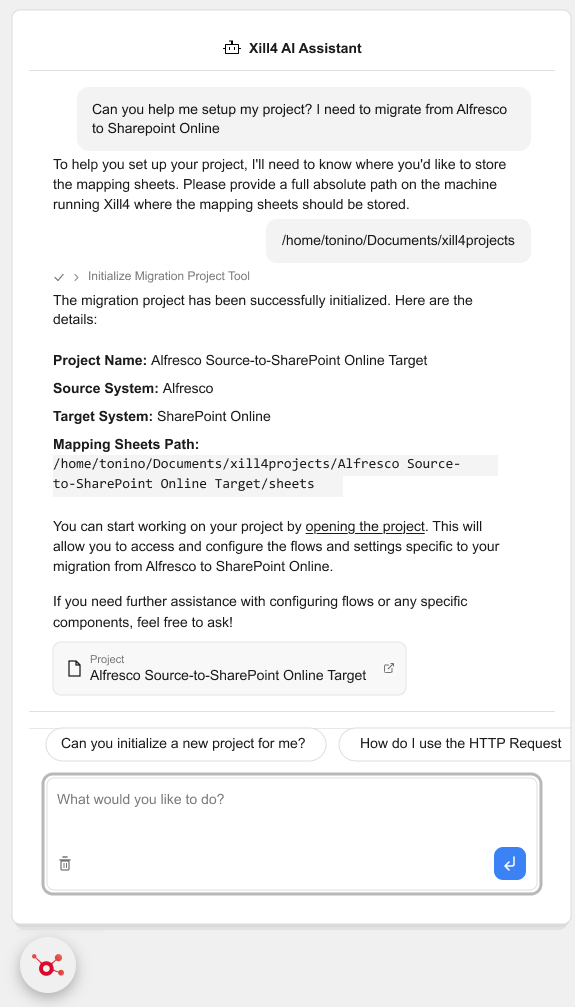
Setting up a new migration project involves more than finding the right flows. Tell Xill4 AI which source and target systems you're working with, and it can set up the project for you. It brings in the relevant flows, configures them to work together, and creates an organized project structure ready for review and testing.
Resolve issues more efficiently
Use AI-assisted error explanations to help consultants investigate problems independently and provide better context when escalation is needed
Improve delivery efficiency and predictability
Spend less time on recurring setup, reporting, and troubleshooting, making project effort easier to manage and estimate
Strengthen your customer offering
Combine AI-assisted delivery with your migration expertise to deliver projects more efficiently while retaining control over customer-specific design, configuration and migration decisions
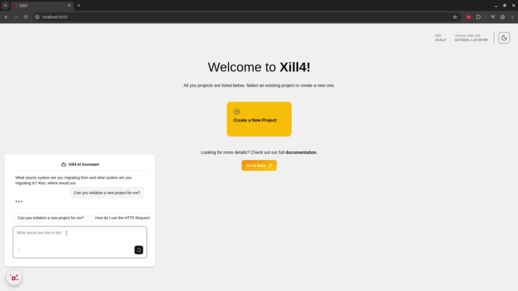
You do not have to leave your project every time you need help understanding a component, accelerator, or configuration. Open Xill4 AI and ask your question directly.
It is designed to help with Xill4 knowledge and give you guidance in the context of the work you are doing.
- Components and functionality
- Accelerators
- Connectors and flows
- Configuration
- Guidance on Xill4 tasks
Troubleshooting often starts when something goes wrong. The difficult part is understanding what the error means and where to look next.
Xill4 includes an Explain by AI option for errors. Use it to ask Xill4 AI for an explanation and additional context that can help with your investigation.
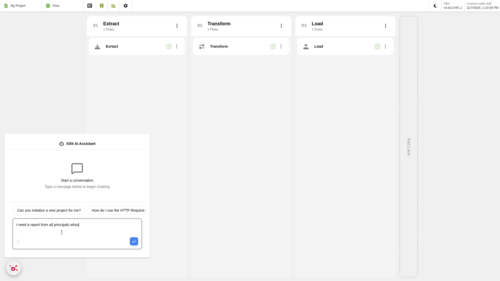
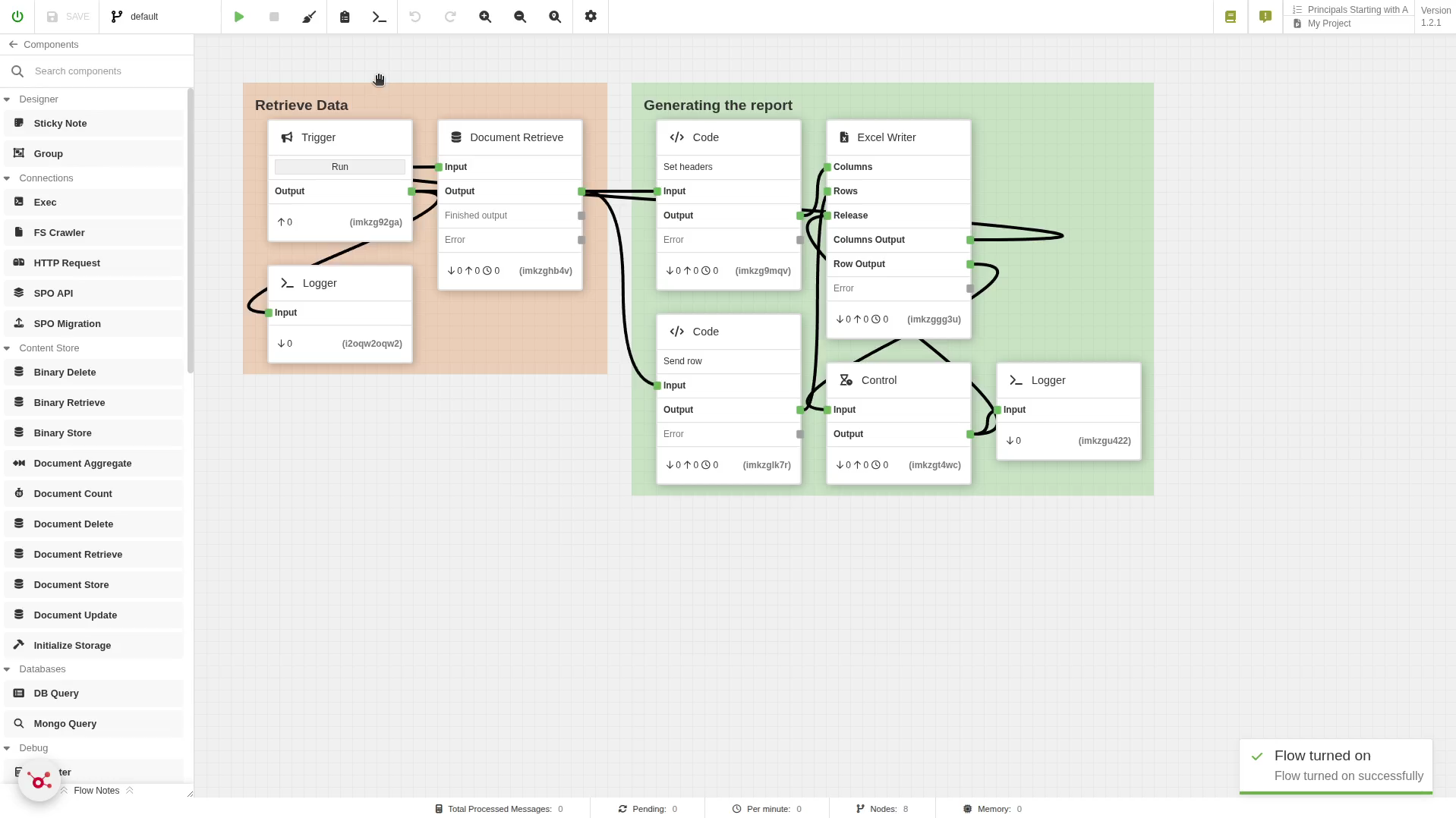
Migration projects often need reports for very specific questions. Instead of manually building every report flow from the beginning, describe the report you need to Xill4 AI.
Describe
Ask for the report you need
Generate
AI creates a custom reporting flow
Review
Inspect the flow in Xill4
Use
Run it for the migration project
This includes custom flows for generating Excel reports based on specific or complex migration queries.
Going from an empty project to the flows you need can involve repetitive setup. Tell Xill4 AI which source and target systems you're working with, and it can identify and retrieve the relevant flows to give you a starting point for configuration and testing.
AI assistance without taking migration decisions out of your hands
Xill4 AI helps with Xill4 tasks, but the migration project still needs to be reviewed and configured for your requirements.
AI-assisted
Answers, reporting flows, project setup and error explanations help accelerate work inside Xill4
Expert-controlled
Metadata, permissions, transformation rules and target structures still reflect the requirements of the migration
Review before use
AI-generated or retrieved flows should be reviewed, configured and tested in the context of the project
Common questions about AI in Xill4
Yes, you can ask Xill4 AI to generate custom reporting flows, including flows for Excel reports based on a particular query.
Yes. AI-generated or retrieved configuration should be reviewed in the context of your source, target, migration rules and testing process before it is used in a production migration.
Get more done without leaving Xill4
Ask questions, create reporting flows, investigate errors and get a new migration project started with Xill4 AI.