

OpenText Livelink to SharePoint Online Migration
Unlock modern collaboration in Microsoft 365 with control over content, metadata, permissions, versions, structure, and validation throughout the migration
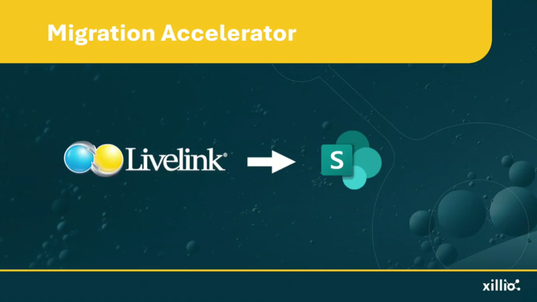
LiveLink Migration to SharePoint Online Overview
Target
- SharePoint Online
- Microsoft Teams file locations
- OneDrive for Business
Planning for Microsoft 365 Copilot? Pre-migration analysis with Xillio Insights can help identify ROT, duplicates, metadata inconsistencies, and other content-quality issues before content enters your Microsoft 365 environment.
Export-only option: Content can also be extracted from Livelink for archival or retention scenarios without migrating it into a new document management platform
Typical challenges:

- Restructuring deeply nested Livelink folders for SharePoint Online
- Mapping Livelink categories and attributes to SharePoint metadata
- Handling compound, linked, or specialized content objects
- Identifying workflows that need to be redesigned or recreated in Microsoft 365
- Translating legacy permissions into an appropriate SharePoint security model
- Resolving legacy file, naming, path, and metadata issues
- Extracting content reliably from older Livelink infrastructure
- Maintaining access to content when legacy Livelink URLs change
How Xillio addresses this:
Analyze the Livelink environment with Xillio Insights
Start by understanding what is stored in Livelink. Xillio Insights can analyze content volumes, structure, metadata usage, duplicates, ROT content, activity, and other content-quality indicators. This provides evidence for deciding what to migrate, archive, restructure, or investigate before migration. For example, Xillio Insights identifies duplicate documents and also content that reached the end of its retention period. These findings are reviewed by your team and together with Xillio documents are migrated to SharePoint Online, archived or excluded from the migration.
Test your LiveLink migration rules before the move
Based on the analyses, Xillio creates the migration rules for the selection and mapping of the content together with the client. These migration rules for selection and mapping can be applied prior to the actual migration to identify and overcome issues early in the process. In addition, Xillio facilitates transformation reports prior to migration.
Map metadata, structure, and permissions
Xillio transforms source content into the model required by SharePoint Online. Livelink categories and attributes can be mapped to SharePoint metadata, folder structures can be restructured where required, and access controls can be adapted to the target permissions model. The exact treatment of permissions depends on the source version and extraction method.
Test, migrate, monitor, and validate
Xillio Migrate provides a controlled environment for transformation and migration, with simulation, validation, monitoring, reporting, and auditability. Content is then imported into SharePoint Online using the Microsoft migration mechanism, with migration logs available for monitoring and troubleshooting.
See the Migration in Action
Keep Livelink links usable after migration
Xillio Link Redirector can use migration mappings and redirect rules to route requests for old URLs to the corresponding migrated location. It can remain in place during the transition or after the legacy platform has been decommissioned.
Proven at scale
Xillio has documented Livelink-to-SharePoint migrations for organizations with complex content, metadata, security, and compliance requirements. These customer projects show how the migration approach works in practice.
A leading Northern European financial regulator migrated document management from OpenText LiveLink to Microsoft SharePoint Online as part of its cloud transformation strategy.
Xillio extracted, analyzed, tested, and packaged content for migration, delivering a controlled and secure transition that preserved access to critical documents while improving searchability, governance, and compliance.

Financial Oversight Agency migrates confidential content to the cloud
Oasen drinkwater
Dutch drinking water company Oasen migrated its document archive, including metadata, from OpenText LiveLink to Microsoft SharePoint Online. Following the migration, the full archive and its metadata were accessible through SharePoint Online.
Why Livelink to SharePoint Online Migrations can be Complex?
Different information architectures
Livelink environments are often organized around nested folders, categories, attributes, and legacy classifications. SharePoint Online uses document libraries, columns, content types, managed metadata, and its own limits and naming rules. Migration therefore requires deliberate mapping rather than a direct copy of the source structure.
Categories and specialized content objects
Livelink categories and custom attributes do not automatically correspond to SharePoint fields. Compound, linked, or specialized objects may also need scenario-specific treatment before they can be represented appropriately in the target.
Different permission models
Existing Livelink access controls need to be interpreted in the context of SharePoint's sites, libraries, groups, inheritance, and item-level permissions. SharePoint itself also places practical constraints on permission inheritance and recommends limiting unnecessary breaks in inheritance.
Legacy content quality and dependencies
Older repositories can contain inconsistent metadata, duplicate content, long or invalid paths, outdated files, and links that still point to legacy locations. Identifying these conditions before migration makes transformation and validation more predictable.
Legacy extraction requirements
The extraction method depends on the Livelink or Content Server environment. Xill4 provides API- and database-based approaches, while older Livelink installations can require database-specific adjustments. Establishing the correct extraction path should therefore be part of migration discovery and technical assessment.
FAQ
They do not have to be reproduced exactly. The source structure can be analyzed and transformed so that content fits the intended SharePoint information architecture, while retaining folders where they remain useful.
Yes. Xillio's OpenText Content Server connector supports extraction of document versions, and the SharePoint Online target connector supports creation of documents with their versions. Exact support should be confirmed for the specific legacy Livelink extraction method used.
Yes. A migration can be organized around defined content selections or business migration waves. The exact phasing strategy depends on the source environment, target structure, dependencies, and cutover requirements.
Where old URLs must remain usable, Xillio Link Redirector can redirect requests to the appropriate migrated location using rules and migration mappings.
Yes. Xillio also supports export-only scenarios when content needs to be retained or archived without being loaded into a replacement document management platform. The required content, metadata, and archival format should be defined during scoping.