










Documentum to SharePoint Online Migration

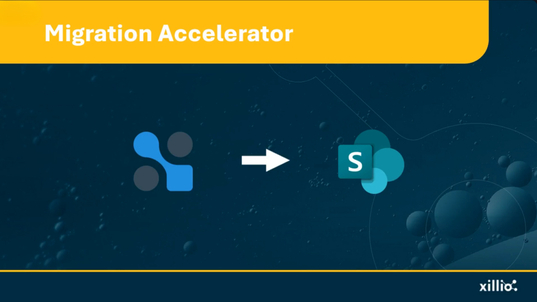
Move from OpenText Documentum to SharePoint Online with control over your content, metadata, versions, permissions, and structure. Xillio helps you analyze your Documentum environment, prepare content for Microsoft 365, execute a controlled migration, validate the results, and keep legacy links usable after content moves

Source

  • OpenText Documentum Content Server
  • Documentum D2

Target

  • SharePoint Online
  • Microsoft Teams file content
  • OneDrive for Business
Export-only option is also supported. 

Typical Challenges

  • Different content structures – Documentum cabinets and folders need to be mapped to the right SharePoint sites and libraries.
  • Custom metadata – Documentum document types and attributes need to be translated into a SharePoint metadata model.
  • Versions and renditions – Decide which document versions and alternative formats need to move to SharePoint.
Team brainstorming document migration strategy from Documentum to SharePoint Online
Specialists working on Documentum to SharePoint Online migration
  • Permissions – Existing access rules need to be mapped to the new Microsoft 365 structure.
  • Document relationships – Linked, compound, and virtual documents may need special treatment because SharePoint organizes content differently.
  • Legacy links – Existing links to Documentum content can stop working when content moves.

Why would you make the move?

An enterprise content management migration involves more than transferring documents. Document types, metadata, versions, permissions, relationships, workflows, and integrations all need to be assessed before the target SharePoint environment is defined.

Professionals working on enterprise content migration from Documentum to Microsoft 365

The challenge is that years of Documentum customization can make migration more than a straightforward transfer. Document types, metadata, versions, permissions, relationships, workflows, and existing integrations all need to be understood before the target SharePoint structure is defined.

What Can Make This Migration Complex

Preserving Structure & Metadata

Migrating from Documentum isn't just about moving files, it's about preserving structure and metadata. Documentum's object-oriented architecture with custom doctypes (dm_document subtypes), complex metadata schemas, and cabinet hierarchies creates unique challenges when mapping to SharePoint's simpler content model.

Cabinet & Doctype Mapping

Cabinet and folder structures must map intelligently to SharePoint sites and document libraries, decisions that affect user experience, performance, and information architecture. Custom doctypes with specialized dm_sysobject attributes and dm_relation types require thoughtful translation to SharePoint content types and site columns.

Versioning & Renditions

Version control in Documentum preserves complete version trees with major/minor versioning, renditions (PDF, TIFF, web-optimized formats), annotations, and redactions. SharePoint's simpler versioning model requires decisions about which versions and renditions to preserve versus regenerate.

Virtual, Compound, and Multi-Location Documents

Documentum can group documents into compound structures or make the same content available in multiple locations. SharePoint organizes content differently, so these relationships need to be identified and an appropriate target structure agreed before migration.

Relationships & Custom Applications

Documentum environments can include links between documents, custom applications, and workflows built around the repository. These do not necessarily have direct equivalents in Microsoft 365, so they should be identified and assessed separately from the content itself.

How Xillio Addresses This

Xillio provides content migration services and ECM migration services for complex Documentum environments, covering analysis, transformation, migration, validation, and post-migration link continuity.

Analyze with Xillio Insights

Understand your Documentum content before migration and identify what should move, what needs attention, and how the target environment should be designed.

Transform and migrate with Xillio Migrate

Extract content from Documentum, map metadata and structures to SharePoint, apply agreed transformation rules, and execute controlled migration runs.

Validate the results

Monitor migration runs and compare source and target results so exceptions can be identified and resolved before completion.

Keep legacy links usable

Xillio Link Redirector can route requests from old Documentum URLs to the appropriate new location after content moves.

See the Migration Process in Action

This demo shows the end-to-end process of migrating content and metadata from OpenText Documentum to SharePoint Online, including extraction, transformation, reporting, validation, and content import.

World-Leading Migration Expertise

Xillio has more than 20 years of content migration experience and has delivered 1000s of migrations. Its 60+ in-house-developed connectors cover major enterprise content platforms, including Documentum and SharePoint Online.

Xillio is trusted by companies worldwide:

Documentum to SharePoint Migration Results

A global chemicals company migrated two legacy OpenText Documentum archives to SharePoint Online as part of its cloud strategy. Xillio migrated more than 500,000 documents, preserving folder structures and document labeling while supporting Hebrew-language content and outdated Documentum versions. 

Global chemicals firm migrates archives from Documentum to SharePoint

A renowned global chemicals company migrates company archives from Documentum to SharePoint Online

Global chemicals firm migrates archives from Documentum to SharePoint

Global Insurance Migration to SharePoint Online, Simplified

Streamlining a global professional services leader's migration to Sharepoint Online

Global Insurance Migration to SharePoint Online, Simplified

A global insurance company migrated more than 200 TB of content from Documentum to SharePoint Online across six countries. Xillio provided content analysis, optimization, migration, and provisioning services, helping create a single document management platform with consistent global standards.

Following the acquisition of Oslobors VPS, Euronext migrated two OpenText Documentum-D2 environments to Microsoft 365 and SharePoint Online. Using a phased approach covering analysis, design, transformation, and migration, Xillio successfully migrated content, metadata, and permissions while meeting a strict project deadline.

Euronext Consolidates Document Management After Oslobors Deal


Euronext Consolidates Document Management After Oslobors Deal

Still deciding whether SharePoint Online is the right destination? Read our Documentum vs SharePoint comparison.
Organizations evaluating multiple target platforms can also review our Documentum replacement options.

FAQ

How long does a Documentum to SharePoint migration take?
The timeline depends on the amount of content, the complexity of your Documentum environment, the SharePoint target design, and how the migration will be rolled out. We assess these factors upfront and create a migration plan based on your environment. Large migrations can be divided into phased releases.
Will metadata and document versions be migrated?
 Yes. Xillio can extract metadata and document versions from Documentum and map them to SharePoint. Before migration, we agree which information should be kept and how it should be represented in the new environment. 
Can you migrate compound and virtual documents?

These Documentum structures can require special handling because SharePoint does not organize content the same way. We first identify how the documents and their relationships are used, then determine the appropriate way to represent them in SharePoint. 

What happens to custom workflows and applications?

Custom Documentum workflows and applications do not simply move into SharePoint with the content. They should be assessed separately to determine what still needs to be supported and how that functionality should work in Microsoft 365. 

Can Documentum renditions be migrated?

Yes. Documentum renditions, such as alternative PDF or TIFF versions of a document, can be extracted. We work with you to decide which renditions should move and how they should be handled in SharePoint. 

Can this migration be executed in phases?

Yes. Large migrations can be divided into controlled phases, for example by repository, department, or content group. This lets you validate each stage before continuing with the next part of the migration. 

Ready to migrate from Documentum and reduce ECM complexity?

Request a Documentum Migration Estimate

Get a clear, customized quote based on your requirements.